Features & benefits

Less chasing. More teaching.

School Operations connects your Timetabling Solutions import to the workflows teachers, coordinators, and leaders rely on every week — so your team spends less time on admin and more time with students.

  • One import Timetables, SACs, exams & SEA from the same data
  • Role-based access Teachers see their tools; leaders control the rest
  • $5,000 + $10/staff per year, whole-school licence

What changes when everyone works from one platform

School leaders choose School Operations because it solves real daily pain points — not because it adds another system to manage.

Teachers stop hunting for information

Personal timetables, SEA adjustments, and SAC paperwork live in one signed-in dashboard — updated whenever the school publishes a new import. No more PDF attachments or email threads to dig through before first period.
Coordinators catch clashes before they happen

VCE SAC calendars, exam draft schedules, and staff availability all draw from the live timetable. Clash checks, cover planning, and room allocation stay aligned because everyone sees the same source of truth.

Leaders set up once, then delegate with confidence

Upload the .tfx file, invite staff by role, and turn on optional two-factor authentication. Timetablers allocate planning time fairly; daily organisers book covers; VCE coordinators sync to Outlook — without sharing admin passwords.

Built for the people who run your school day

Each role gets tools that match their work — not a generic portal everyone struggles with.

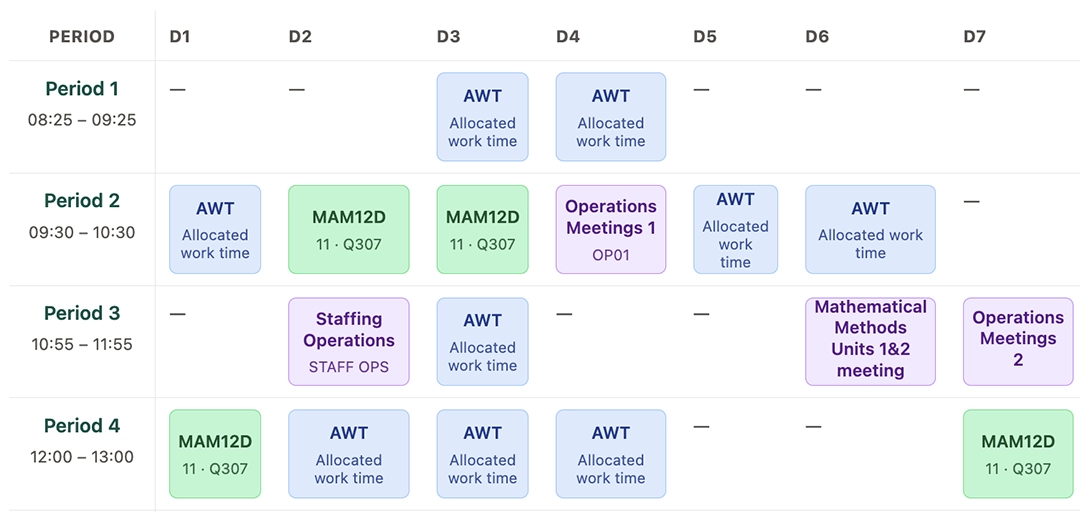
Personal teacher timetable grid in School Operations

Classroom teachers

Walk in knowing your week and your students

Teachers sign in to a dashboard built around their teaching cycle — not a list of links buried in an intranet.

  • Cycle-day timetable with yard duties, meetings, and load summary
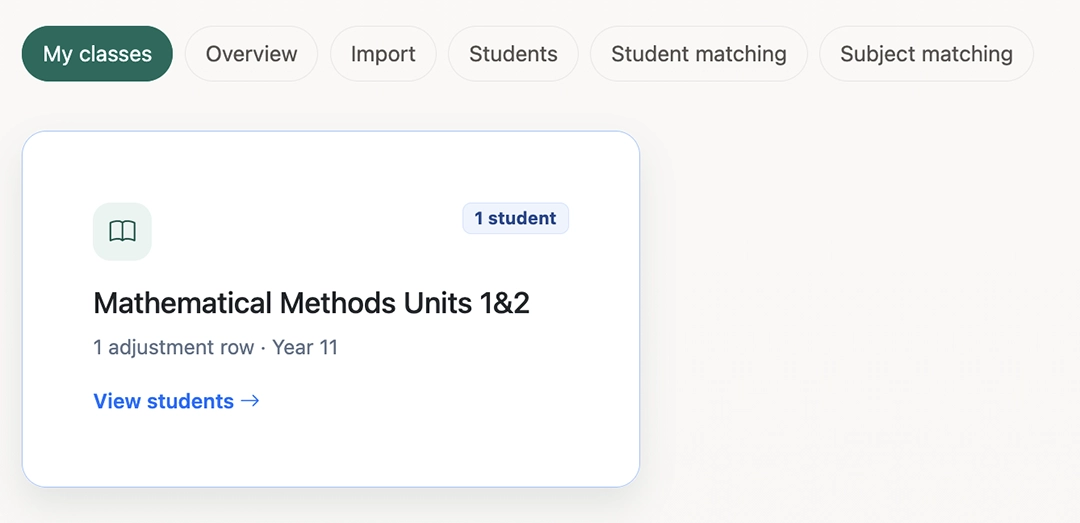
  • SEA adjustments for students in the subjects you teach
  • Prefilled VCAA Special Provisions Log PDFs before assessments
  • SAC and SAT requests without the back-and-forth email
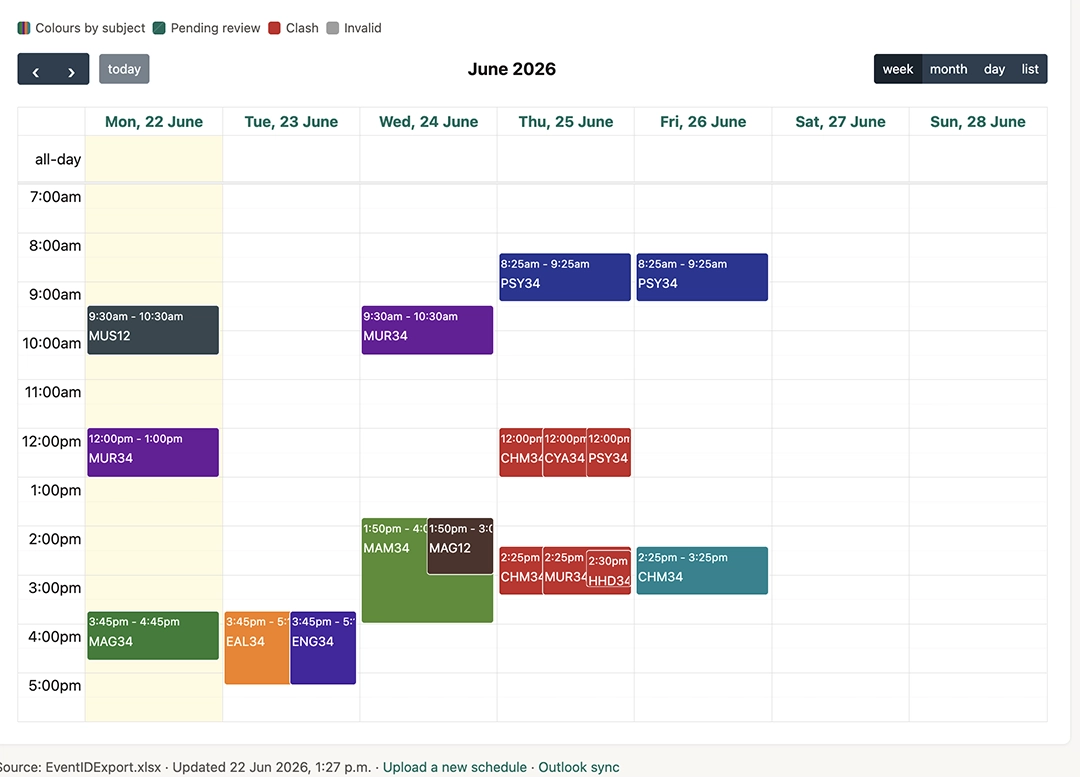
VCE SAC calendar with clash highlighting

Coordinators & managers

Keep SACs, covers, and exams on track

VCE coordinators, daily organisers, and exam teams get calendars, clash checks, and staffing tools tied to the live timetable.

  • Master SAC calendar with student clash and overload checks
  • CRT booking calendar with email and SMS offers to your casual pool
  • Exam draft schedules that minimise student clashes and assign rooms
  • Outlook sync when SAC dates are confirmed
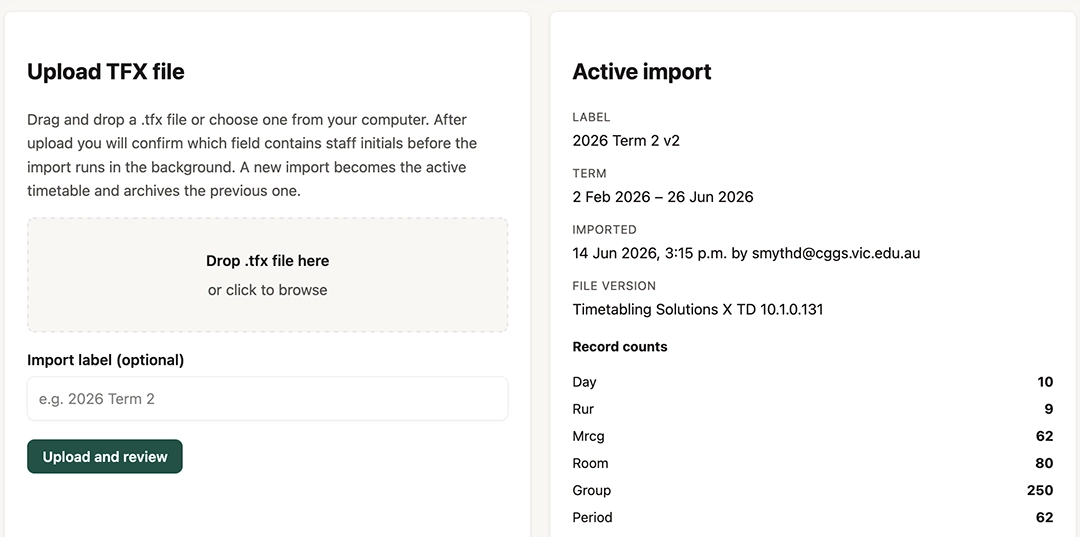
Timetable import screen for Timetabling Solutions files

School leaders & timetablers

One import powers the whole school

Upload the .tfx once. Control who sees what, allocate planning time fairly, and keep security settings in one place.

  • Timetabling Solutions import with staff email matching
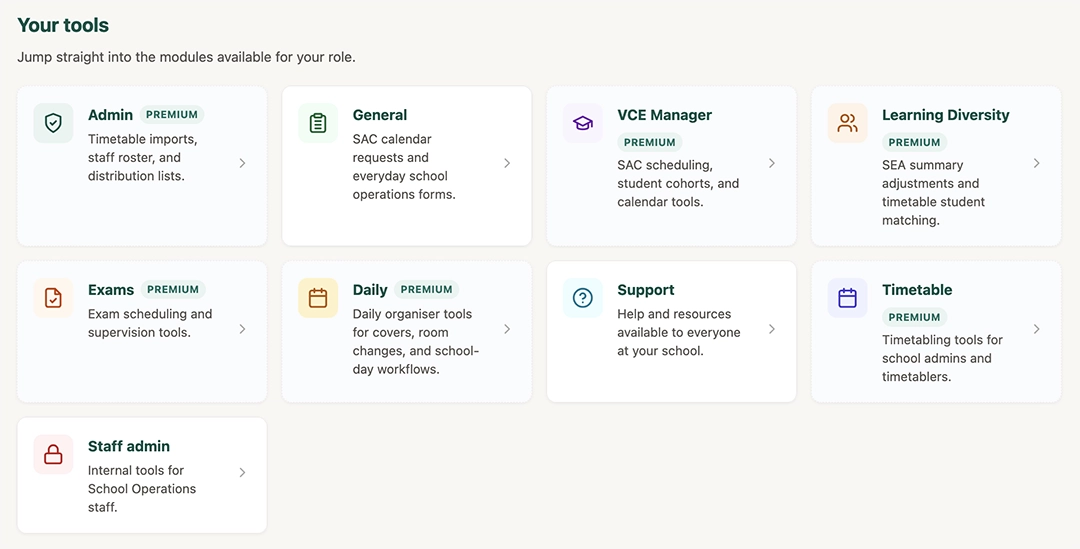
  • Role-based apps for admin, VCE, exams, learning diversity, and daily ops
  • FPT and AWT allocators with availability heat maps
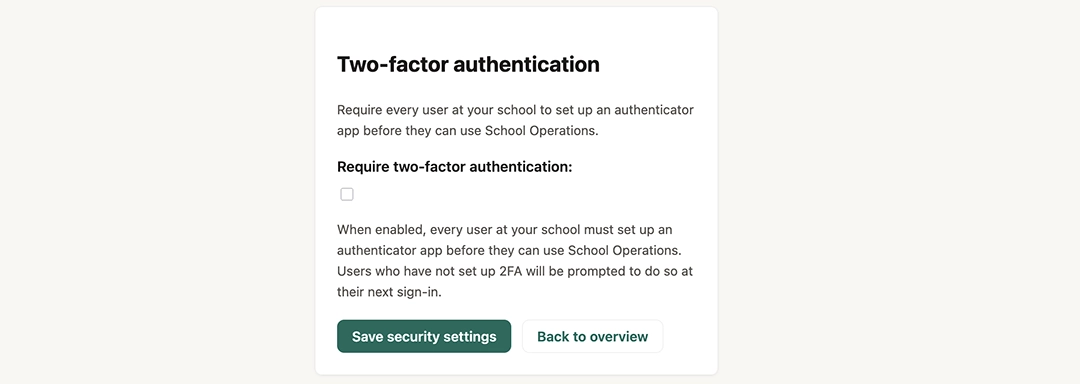
  • Distribution lists, staff intentions PDFs, and school-wide 2FA
SEA students listed by class with adjustment details

For teachers

Classroom tools that save time every week

Teachers should not need coordinator access to find their timetable or a student's SEA adjustments. School Operations puts the information they need for their classes front and centre.

  • Your week on one screen Every class, yard duty, meeting, and free period across the cycle — refreshed when the school publishes a new import.
  • SEA students in the subjects you teach View approved adjustments and download prefilled Special Provisions Log PDFs before assessments.
  • SAC requests without the email chase Propose a SAC or SAT date through a simple form. Your VCE coordinator reviews it against the master calendar.
  • Guides and video walkthroughs Step-by-step help in the Support library — so teachers can self-serve without calling the office.

For coordinators & operations

Run VCE, exams, and the school day from live data

When coordinators work from the same timetable teachers see, clash checks and cover planning stay accurate — and you spend less time reconciling spreadsheets.

SAC calendar with colour-coded sessions and clash warnings
VCE Manager

Catch SAC clashes before students do

Upload the master schedule, flag student clashes and weekly overloads, confirm dates with teachers, and push changes to Outlook when ready.

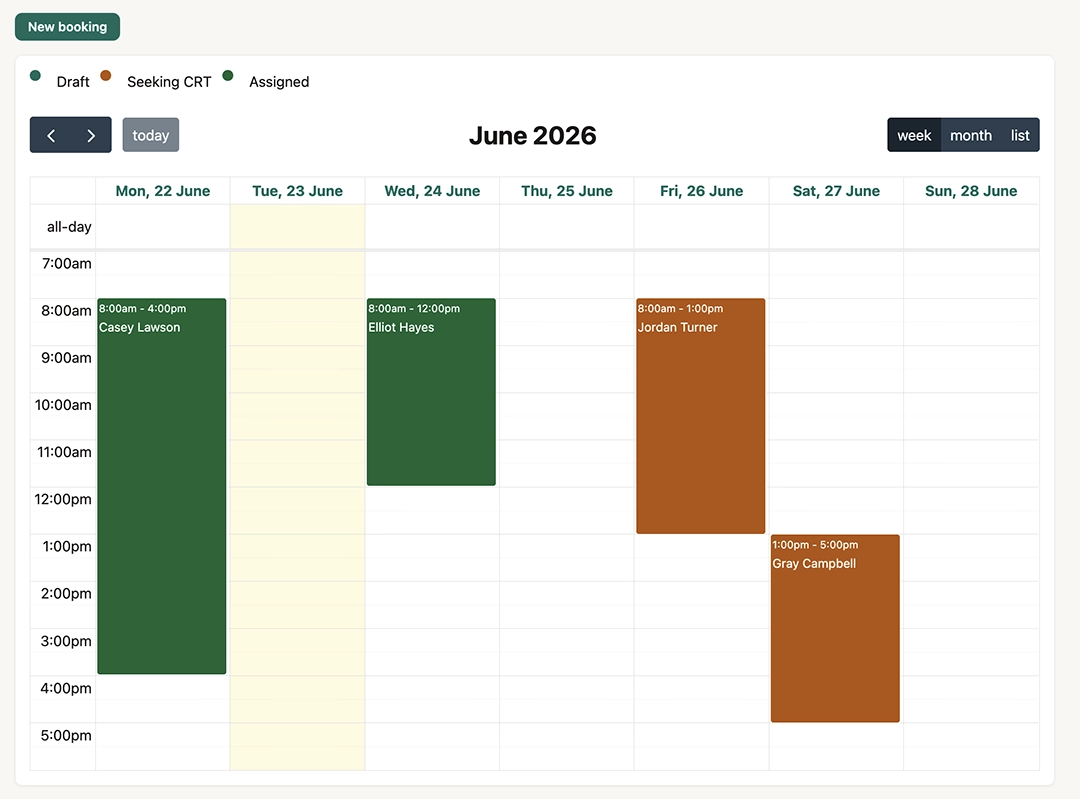
CRT cover booking calendar
Daily organiser

Fill covers faster on busy mornings

Create CRT shifts on a calendar, offer work to your casual pool by email or SMS, and confirm who is on deck — all tied to the active timetable.

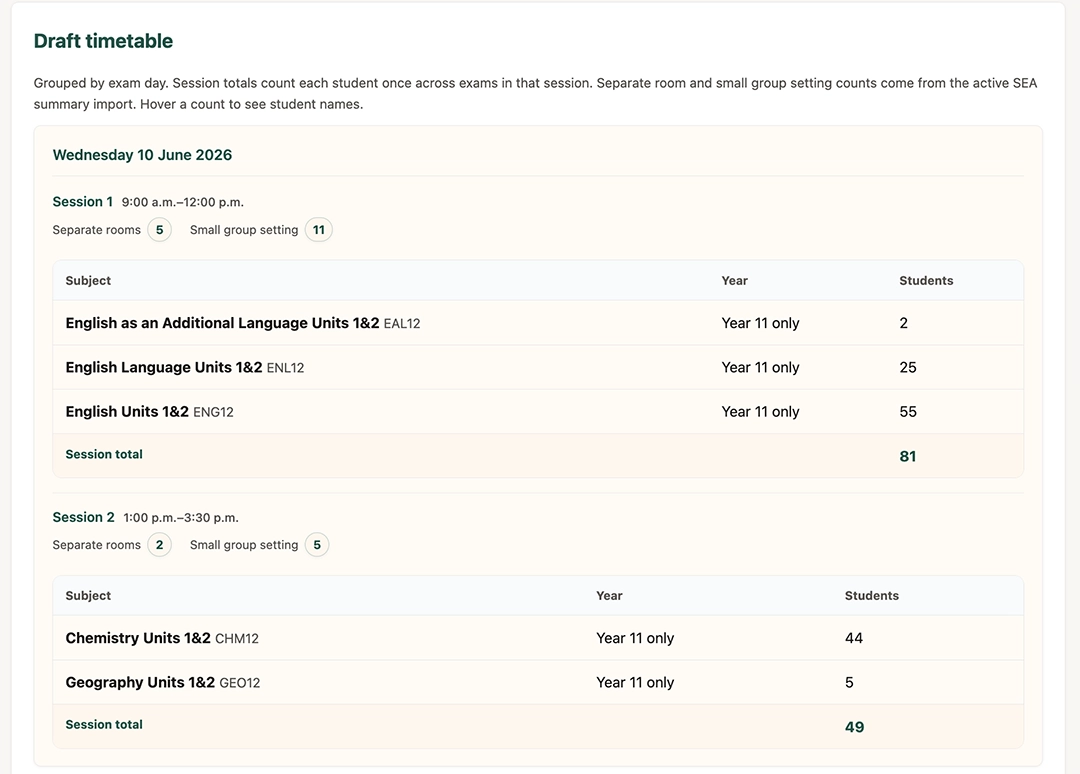
Draft exam timetable with session capacity
Exams

Draft exam seasons that respect capacity

Set exam days by year level, generate draft timetables that minimise student clashes, allocate rooms, and staff supervisors from your pool.

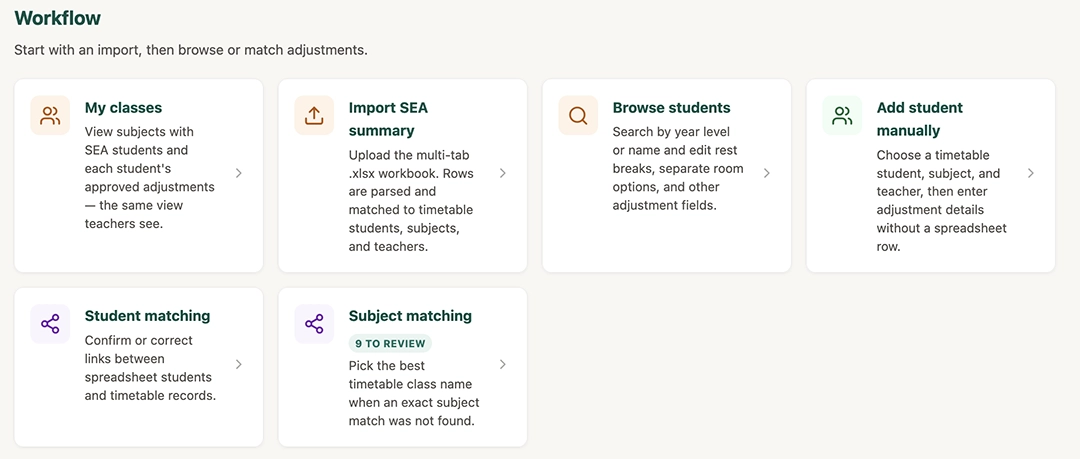
Learning Diversity overview with SEA import tools
Learning diversity

SEA data that reaches the classroom

Import SEA summaries, match students to the timetable, and give teachers a clear view of adjustments in the subjects they teach.

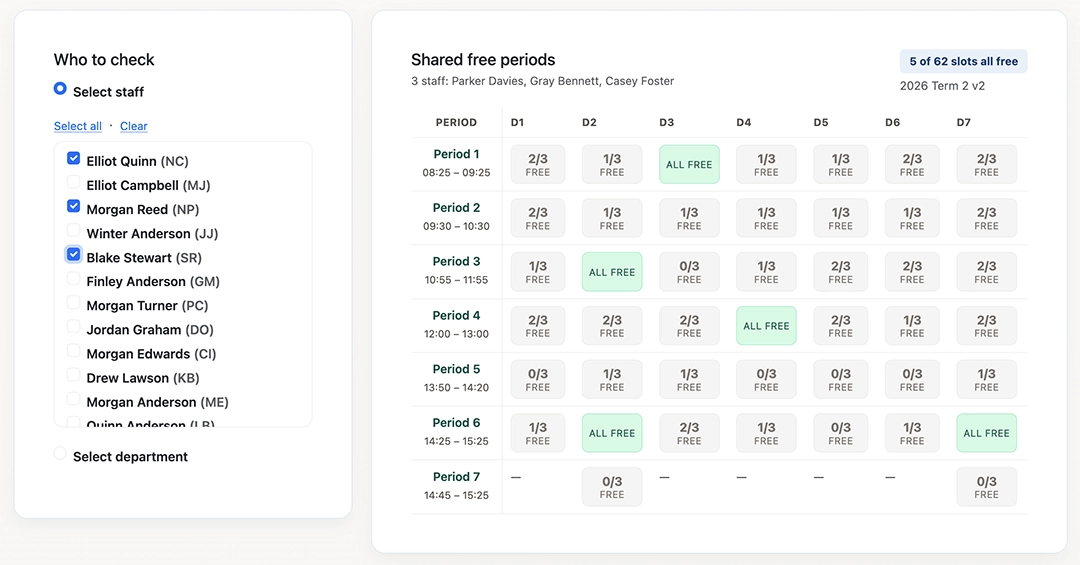
Staff availability finder across the timetable cycle
Staff availability

See when a department is actually free

Select teachers or a whole department and view free periods across the cycle — no teaching, meetings, or marked unavailability.

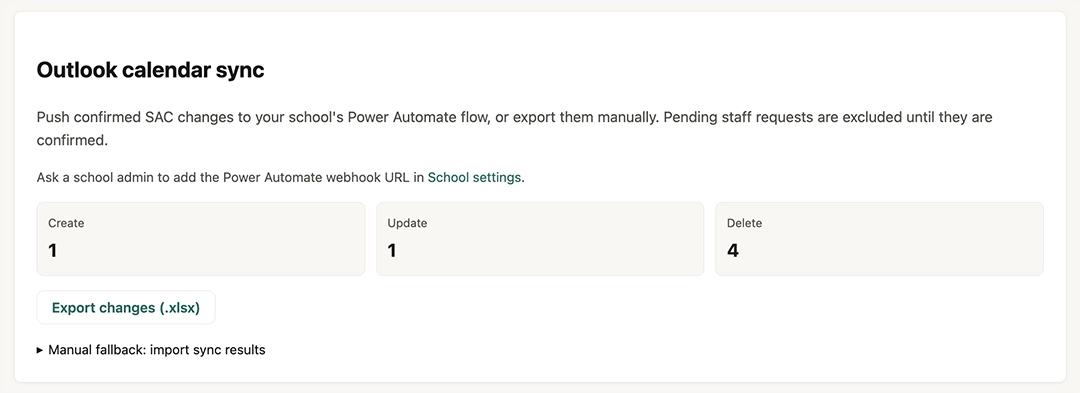
SAC calendar Outlook sync settings
Outlook sync

Keep calendars in sync automatically

Push confirmed SAC dates to Outlook via Power Automate — coordinators review changes before they go live.

For school leaders & timetablers

Set up the school once — everyone works from the same source

School admins and timetablers control imports, roles, and allocators. Staff see only the apps they need.

Upload Timetabling Solutions TFX file screen

Admin

Upload the timetable — power the whole school

Import your .tfx file, match staff emails, activate the timetable, and invite colleagues with the right roles. VCE, Learning Diversity, exams, and daily operations all draw from the same active import automatically.

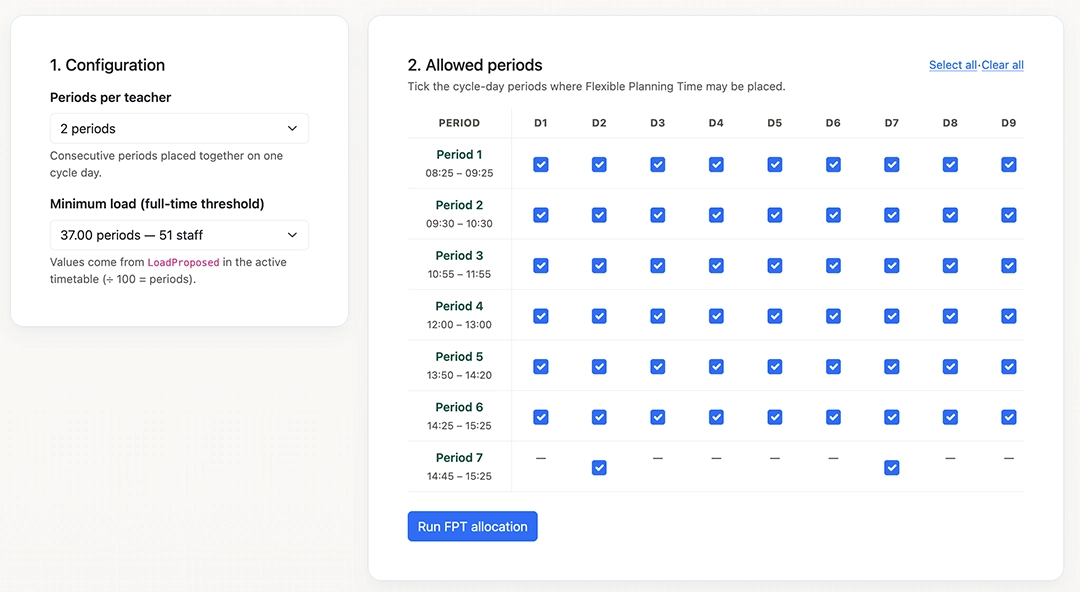
Flexible Planning Time allocator heat map

Timetabling

Allocate planning time fairly across the cycle

Spread Flexible Planning Time and Allocated Work Time with heat maps that show coverage per period. Export landscape PDFs for staff and Excel availability sheets for daily organisers planning covers.

School security settings including two-factor authentication

School security

Invite your team with confidence

Verified work-email sign-in, optional school-wide two-factor authentication, and role-based access to each app module — so coordinators get VCE tools without admin keys, and teachers see only their classroom apps.

Every module in your annual licence

One annual licence priced by staff headcount — your whole team gets the tools they need.

Classroom & teacher tools

Personal dashboard & timetable

Cycle-day grid with yard duties, meetings, load summary, and teaching periods — always synced to the active import.

Available now

SEA adjustments in your classes

See approved provisions for students you teach and download prefilled VCAA Special Provisions Log PDFs.

Available now

SAC & SAT requests

Teachers propose assessment dates through a form; coordinators review against the master calendar.

Available now

Guides & video library

Step-by-step walkthroughs for every app — so staff can self-serve without calling the office.

Available now

Coordinators & operations

VCE Manager

SAC calendar with clash and overload checks, student cohorts, class rosters, school year calendar, and Outlook sync.

Available now

Learning Diversity

Import SEA summaries, match students to the timetable, and give teachers classroom-ready adjustment views.

Available now

Exam scheduling

Set up exam seasons, generate draft timetables, allocate rooms, and staff supervisors with clash minimisation.

Available now

Daily organiser & CRT covers

Casual teacher pool, booking calendar, email and SMS offers, and organiser review when multiple CRTs respond.

Available now

Staff availability finder

See when selected teachers or a whole department are free across the cycle — for covers and meetings.

Available now

Subject Choices PDFs

Combine approvals and year-level preference CSVs into one-page student summaries for course counselling.

Available now

Leadership, admin & timetabling

Timetable import & staff roster

Upload .tfx files, match staff emails, invite teachers, and assign roles from one admin hub.

Available now

FPT & AWT allocators

Spread planning time fairly with heat maps, unassigned staff lists, and landscape PDF exports.

Available now

Distribution lists

Outlook-ready teacher lists by year level — with added/removed staff flagged after each import.

Available now

Staff Intentions PDFs

Turn staff intentions CSVs into printable one-page summaries for timetabling and leadership review.

Available now

School security & 2FA

Verified work-email sign-in with optional school-wide two-factor authentication for every user.

Available now

How it fits your role

Teachers, school leaders, daily organisers, and timetablers each see a different slice of the same platform — assigned by your school admin.

Classroom teacher

Your timetable, student adjustments, and SAC paperwork should be easy to find — not buried in email threads. School Operations gives every teacher a personal dashboard and classroom tools that stay in sync with the school timetable.

  • Personal cycle-day timetable with yard duties, meetings, and teaching load
  • See SEA adjustments for students in the subjects you teach
  • Download prefilled Special Provisions Log PDFs for assessments
  • Submit SAC and SAT date or time requests through a simple form
  • Guides and video walkthroughs in the Support library

Give your staff tools they will actually use

Sign up your school for an annual licence. Once payment is received, your admin uploads the timetable, invites colleagues, and assigns roles — teachers can sign in the same week.